Exposure Dashboard
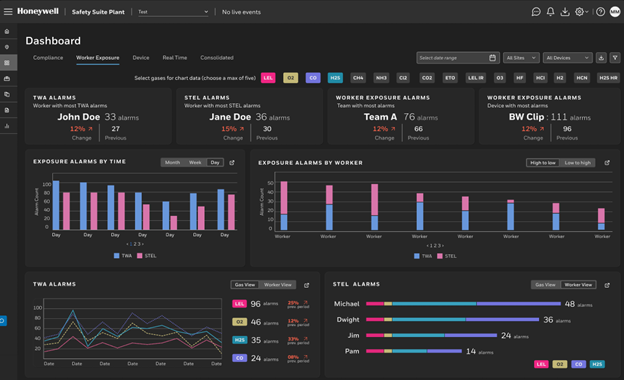
The Exposure Dashboard provides analytics for worker exposure based on TWA and STEL alarms collected from connected detectors.
Use this dashboard to review exposure trends, identify high‑risk workers or devices, and export summaries for reporting.
Key capabilities
- Select up to five gases to include in the exposure analysis.
- Filter results by date range, site, or device model.
- Expand widgets to access detailed tables and export them to Excel.
Available widgets
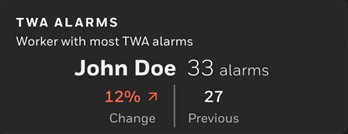
- TWA Alarms: Displays the worker with the highest number of TWA alarms and the percentage change from the previous period.
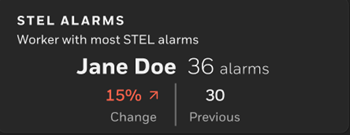
- STEL Alarms: Shows the worker who generated the most STEL alarms and the trend compared to the prior period.
- Worker Exposure Alarms by Team: Identifies which team accumulated the highest combined TWA and STEL alarms.
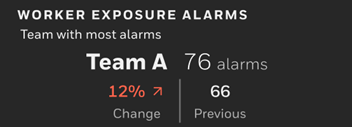
- Worker Exposure Alarms by Device: Highlights the device model with the greatest number of recorded alarms.
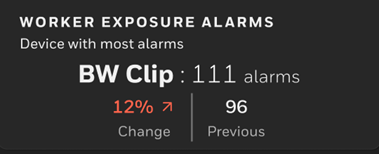
- Exposure Alarms by Time: Provides a timeline view of alarms by day, week, or month. The widget can be expanded and exported.
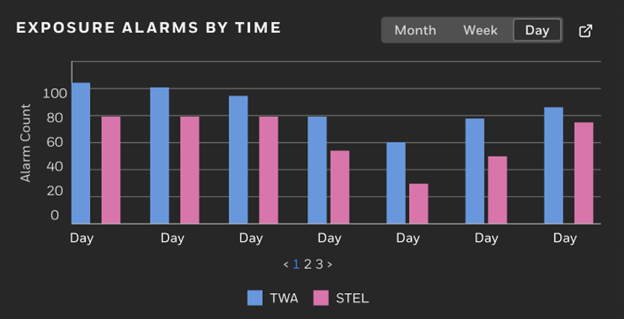
- Exposure Alarms by Worker: Presents alarm counts per worker with sorting options and exportable detailed views.
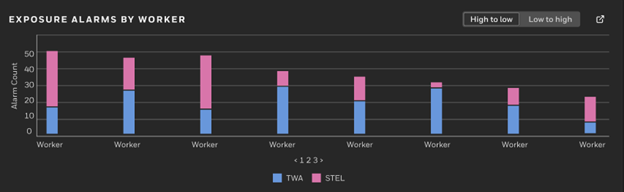
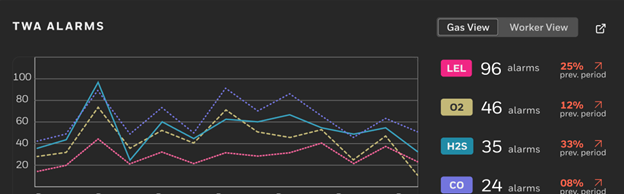
- TWA/STEL Gas View / Worker View: Offers trend lines grouped by gas type or bar‑chart rankings by worker, with expandable and exportable tables.