Guided Tour
Safety Suite EWAS includes a Guided Tour that helps you complete your initial setup the first time you sign in.
Follow the Onboarding Wizard to set up your organization, site, and devices.
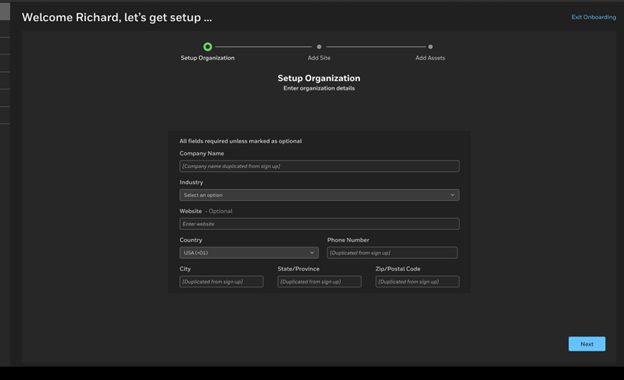
Organization Setup
Review your organization information.
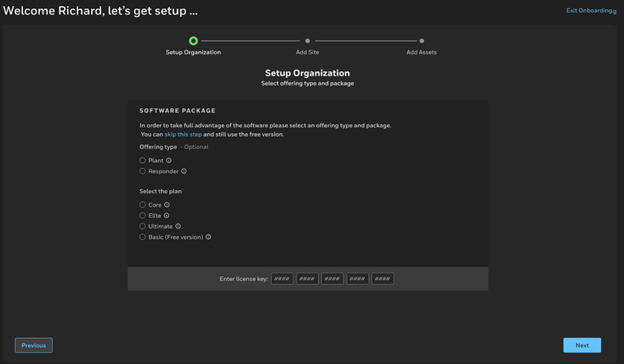
Offering Type & Package
Choose the offering package and plan you want to use.
NOTE: For more details, see5- Account setup.
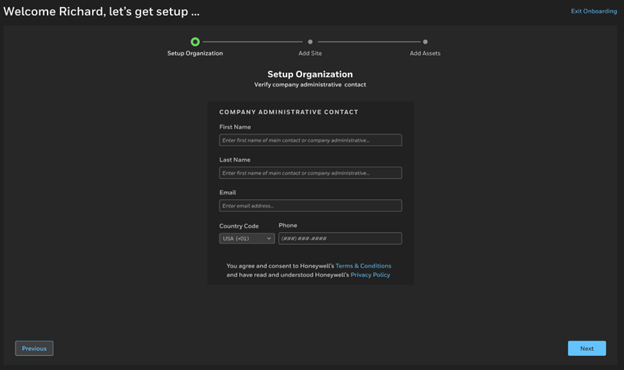
Admin Verification
Confirm your administrative contact information so the system can verify your account.
NOTE: This step applies only when verifying an existing organization.
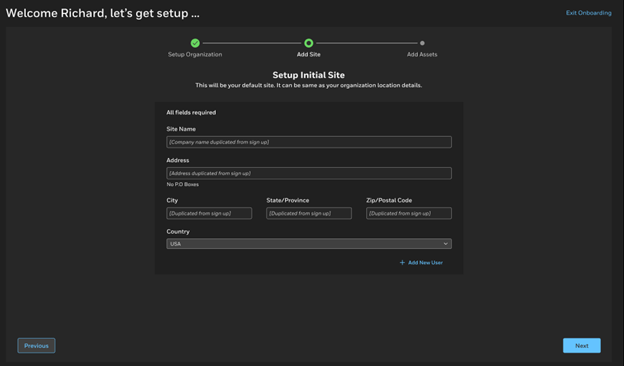
Site Setup
In this step, you can configure your initial site:
-
Update the Site Name or Address.
NOTE: Safety Suite EWAS creates a default site based on your organization’s address information.
-
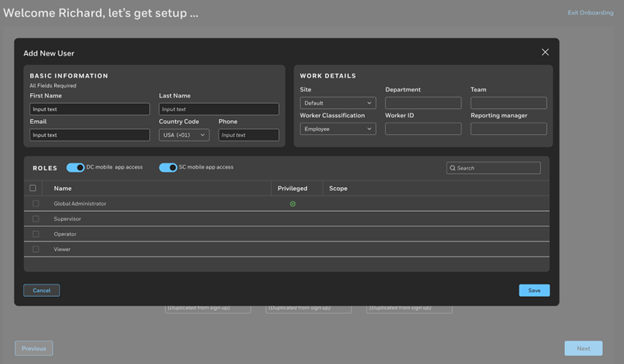
Optionally, add other users to this site and assign the permissions they need for system access.
NOTE: Name, email address, and phone number are required.
-
Assign users to a department, team, unique ID, and reporting manager as needed.
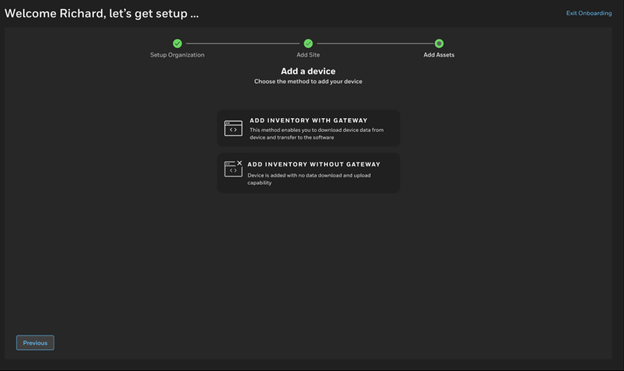
Add Assets
Add your devices to the system using one of these methods:
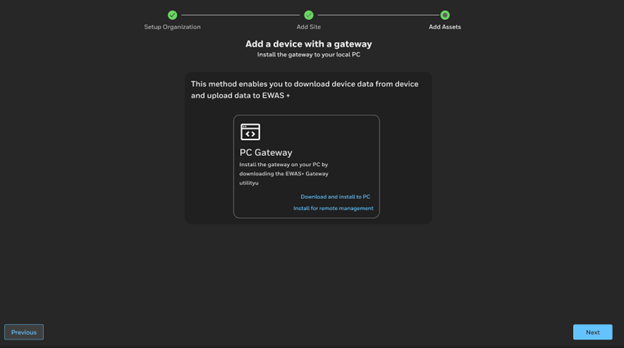
Install a PC Gateway
-
Download and install the PC Gateway utility.
-
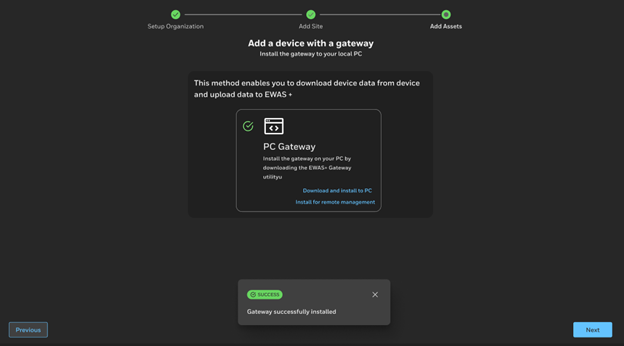
After the PC Gateway is installed and connected, you see the verification page.
-
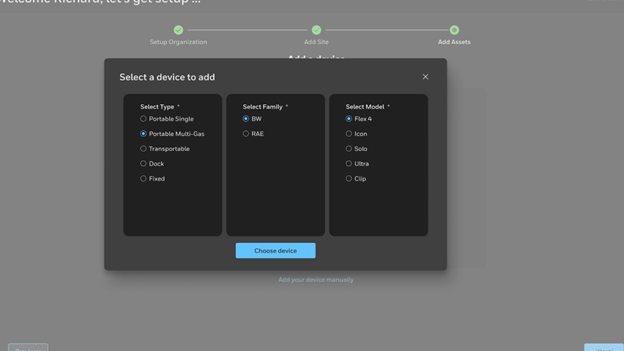
Select the device model.
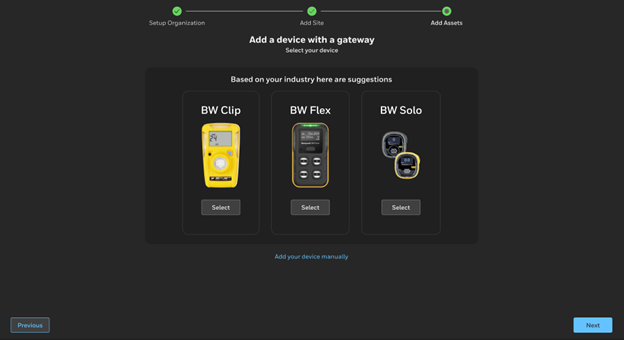
→ 
-
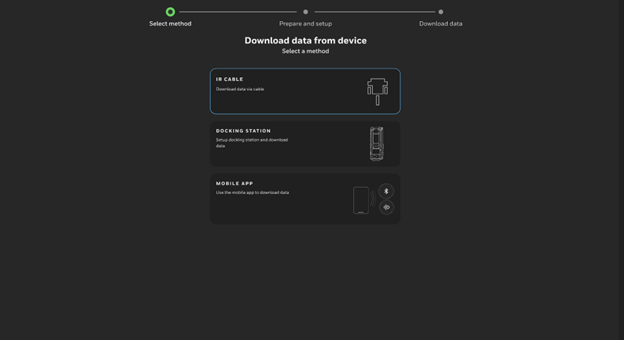
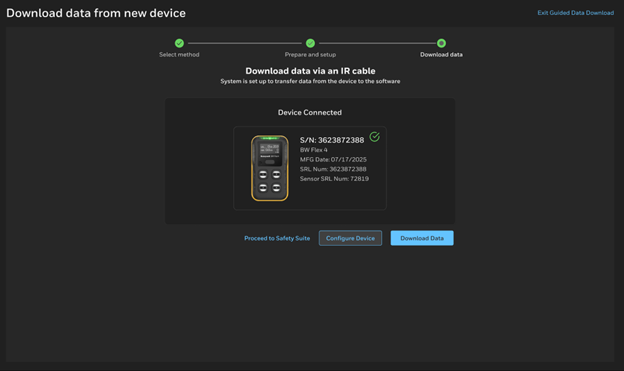
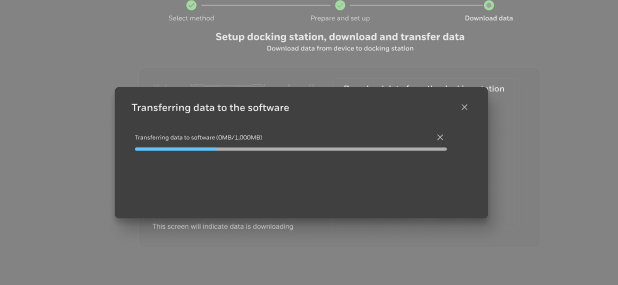
After the device connects, download the data and choose the preferred transfer method.
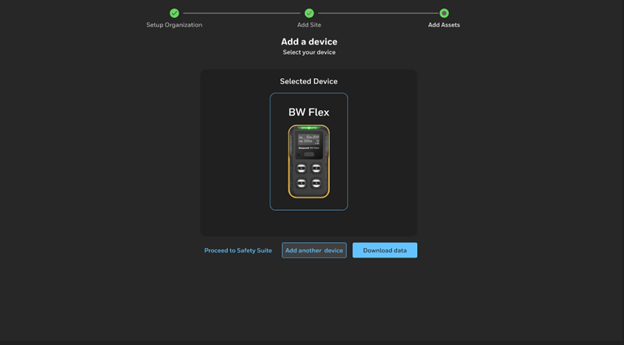
→ 
-
Follow the step-by-step guidance.
→ 
-
After adding your devices, review the summary of transferred data and continue through the Guided Tour .
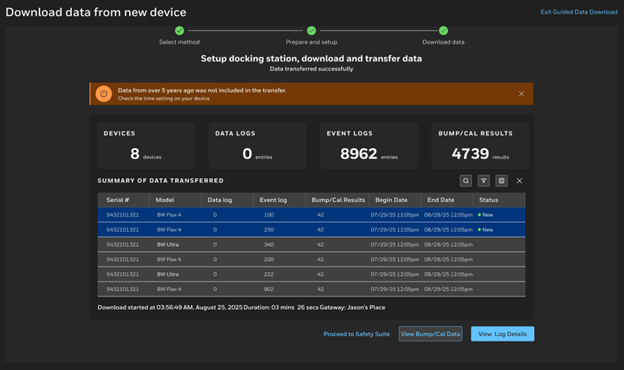
NOTE: You can pause the tour at any time. To resume later, go to the Landing Page and select Go to complete. You can also exit the Guided Tour at any time by selecting Exit Guided Data Download.
Upload Devices in Bulk
-
Download the device template
-
Fill in the required information,
-
Upload the file to add multiple devices at once.